
New Optimization and Uptime Insights for the Cloud Connect Dashboard
Most network issues don’t begin with an outage.
They start with packet loss, congestion, latency, and other changing network conditions that can make cloud applications feel slow, cause voice calls to break up, or disrupt business operations. Long before users notice a problem, Bigleaf is continuously monitoring network conditions and making adjustments to help maintain connectivity and application performance.
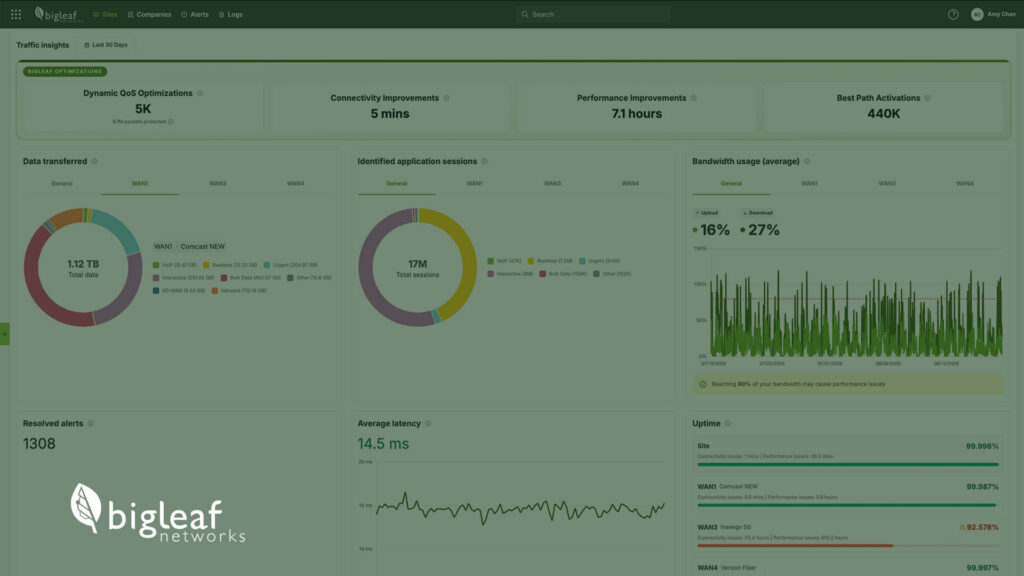
That’s why we’ve enhanced the Site Overview page in the Bigleaf Cloud Connect Dashboard with new Optimization and Uptime insights that make it easier to understand both the work Bigleaf is doing behind the scenes and the results those actions deliver.
More Visibility into Bigleaf Optimization
Bigleaf continuously adapts to changing network conditions to help keep applications available and performing as expected. Whether that means prioritizing critical traffic, mitigating connectivity issues, or steering application traffic to the circuit best suited for its needs, optimization is happening automatically in the background.
The enhanced Bigleaf Optimization section provides greater visibility into these actions, helping customers better understand how Bigleaf is improving connectivity and application performance over time.
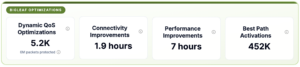
Because Bigleaf evaluates circuit conditions every 10 seconds, these insights provide a detailed view into how the platform responds to changing network conditions, giving teams more context when investigating recent performance events or reviewing connectivity trends over time.
A Better View of Uptime and Reliability
Optimization activity tells only part of the story. What ultimately matters is the experience delivered to users.
The new Uptime section provides visibility into both overall site uptime and individual circuit uptime, helping organizations better understand the reliability of their connectivity over time. Based on packet loss measurements, these metrics provide additional insight into the quality of the connections supporting business-critical applications.
Connecting Actions to Outcomes
The enhanced Site Overview page helps answer two important questions:
What is Bigleaf doing to improve my connectivity?
The Optimization section provides visibility into the actions Bigleaf takes to adapt to changing network conditions and help prevent performance issues from affecting users.
How is my connectivity performing?
The Uptime section provides a clear view of the resulting reliability of both the overall site and its underlying circuits.
Together, these insights provide a more complete picture of connectivity health and help organizations better understand the value of continuous network optimization.
Because performance isn’t just about staying connected. It’s about keeping applications running, users productive, and business moving forward.
Watch our Site Overview walkthrough video to see these insights in action.